
With meticulous attention to detail and a commitment to excellence, we create spaces that inspire, elevate, and enrich the lives of those who inhabit them.
The revitalized Art Gallery is set to redefine the cultural landscape of Toronto, serving as a nexus of artistic expression, community engagement, and architectural marvel. The expansion and renovation project pay homage to the Art Gallery’s rich history while embracing the future, ensuring that the gallery remains a beacon of inspiration.
The revitalized Art Gallery is set to redefine the cultural landscape of Toronto, serving as a nexus of artistic expression, community engagement, and architectural marvel. The expansion and renovation project pay homage to the Art Gallery’s rich history while embracing the future, ensuring that the gallery remains a beacon of inspiration.
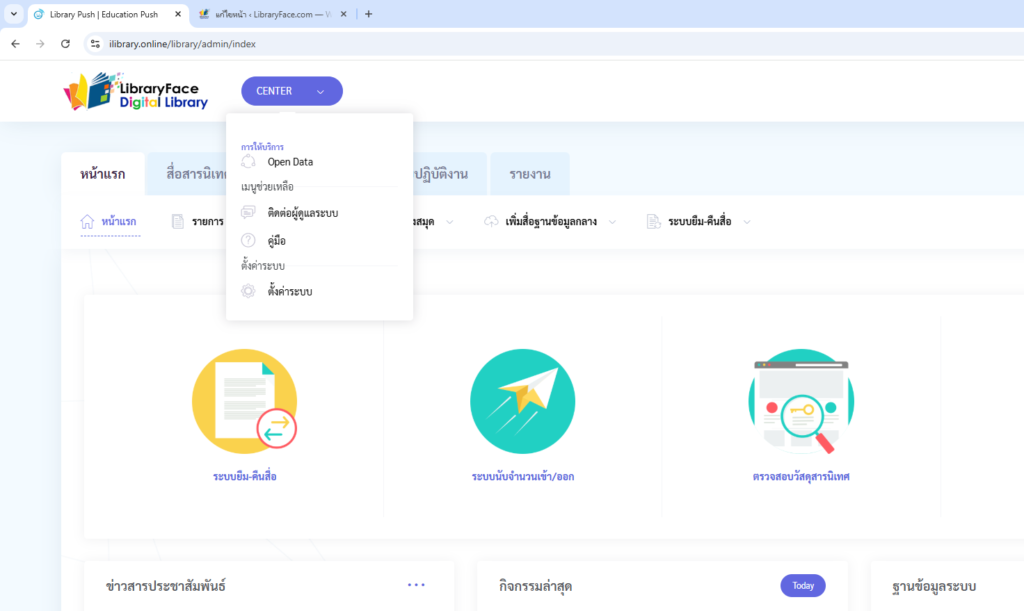
การตั้งค่าระบบ
- เข้าเมนู Administrator ที่อยู่ล่างสุดของหน้าแรก
- เข้าไปที่ CENTER ที่อยู่ด้านบน
- แล้วเลือก ตั้งค่าระบบ
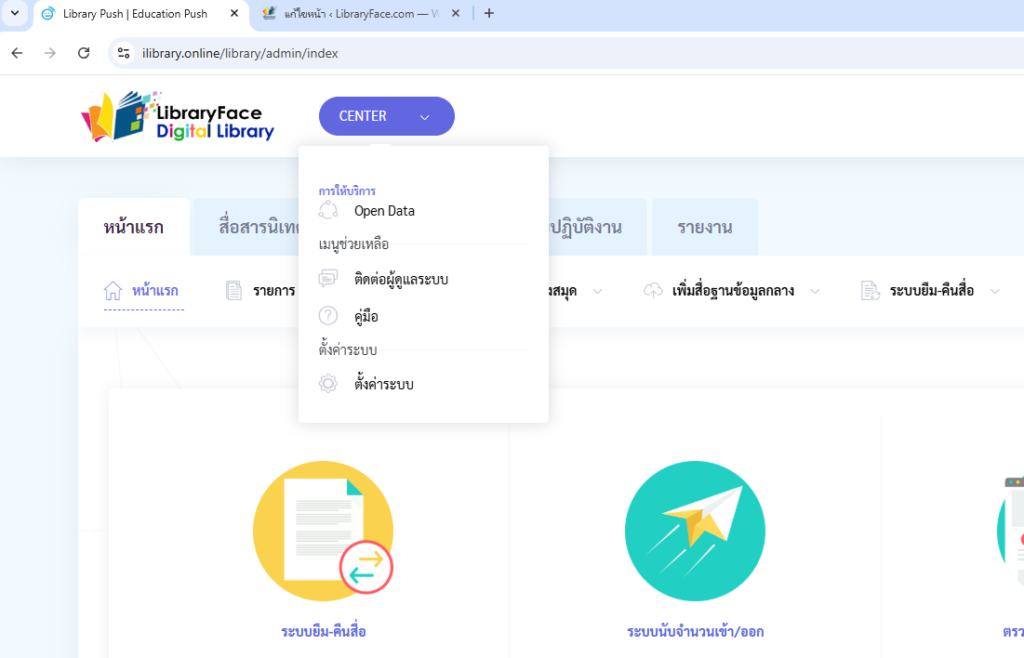
การตั้งค่า ภาพรวมองค์กร
- จะเห็นหน้าภาพรวมองค์กร
- ให้ไปที่เมนู ตั้งค่าองค์กร
- ให้ใส่รูโลโก้พร้อมชื่อองค์กรตามแบบ
- และใส่ภาพโลโก้ขององค์กร
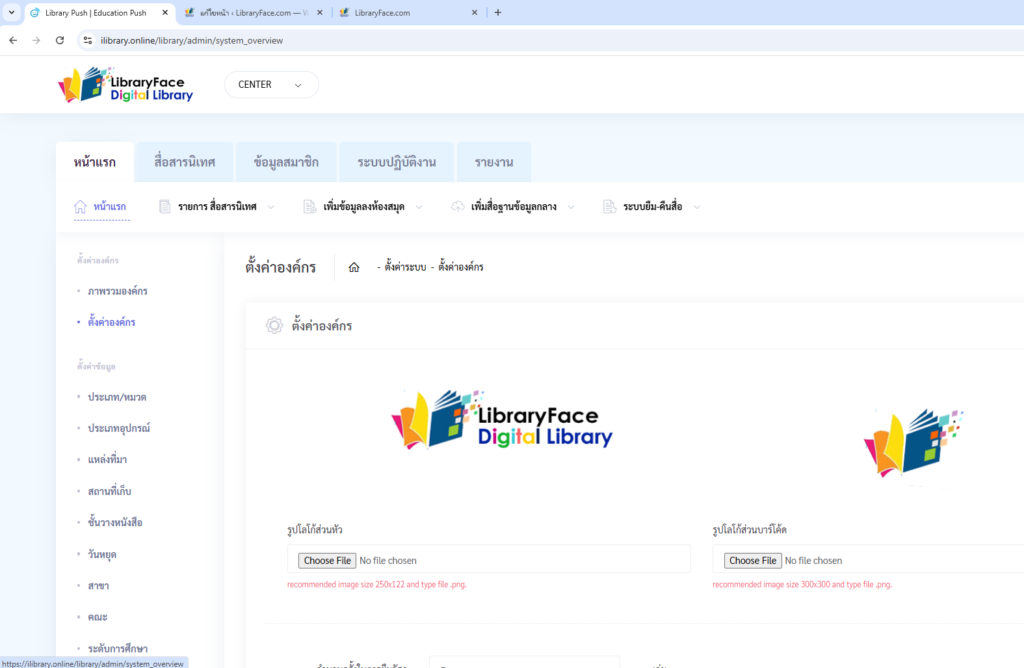
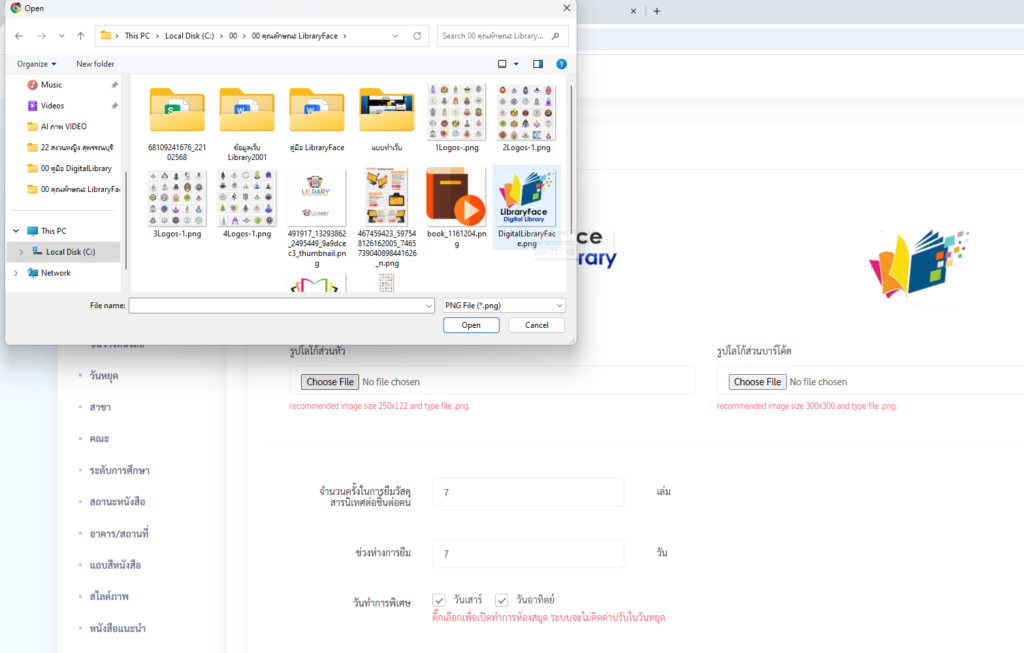
การใส่โลโก้
- จะเห็นหน้าภาพรวมองค์กร
- ให้ไปที่เมนู ตั้งค่าองค์กร
- ให้ใส่รูโลโก้พร้อมชื่อองค์กรตามแบบ
- และใส่ภาพโลโก้ขององค์กร
Guiding your business through the project





ปรับปรุงล่าสุด 11 ธันวาคม 2025